CienciasLISTA
El ciclo del agua: de la evaporación a la lluvia
Compartida por Paula RojasRemezclar

Tests to mark, lessons to prepare, students falling behind, parents writing, and a principal waiting for results. EduKid takes care of that list.
An ordinary evening for a teacher
Subject, topic, grade, and duration. EduKid gives you a complete, editable activity with illustrations, a narrated video, a game, and a quiz.

Elige una. Después ajustamos lenguaje, ejemplos y profundidad a la edad de tus estudiantes.
¿Qué quieres que aprendan en esta clase?
Énfasis, recursos disponibles o restricciones.
Todo listo. Si algo no calza, edítalo antes de generar.
Taller IA persistente
Puedes recargar la página: este trabajo sigue vivo hasta completar todas las fases.
Esperando el video final
Procesando y sincronizando el video educativo.
Dato de aula: una predicción rápida antes del video activa observación y comparación.
Mientras esperas
Arma la primera pregunta
Piensa una pregunta de entrada para abrir «El ciclo del agua» con el curso.
Taller IA persistente
Ya tienes base pedagógica, material visual, video, minijuego y quiz listos para revisar.
Sorpresa de cierre
5 min 36 s
El promedio para crear manualmente una lección como esta es 7 h 30 min. Acabas de ahorrar 7 h 24 min gracias a EduKid.
Benchmark base: OECD TALIS, Gallup-Walton 2025 y NCTQ; ajuste por piezas generadas.
The generation time is the real one for that class, made on November 17, 2026. The manual reference and the saving are the estimate shown by the platform itself, based on OECD TALIS, Gallup-Walton 2025, and NCTQ.
Aprender
Contenido y material
Aplicar
Material interactivo
Afirmar
Refuerzo y repaso
Materiales
Recursos para docentes
Video Animado con Voz
Animación y narración por voz sintetizada en español.

Storyboards e Ilustraciones
10 láminas alineadas al nivel del curso.
Presentación Proyectable
Deck interactivo para proyectar en el aula.
Video educativo con animaciones y narración por voz sintetizada en español.
Aprender
Contenido y material
Aplicar
Material interactivo
Afirmar
Refuerzo y repaso
Materiales
Recursos para docentes
Biblioteca compartida del colegio
Not only whether they were right: also how they reasoned and how sure they were. No paper stack and no spreadsheet.
Student view
Quick mission
Which class read more per student?
Class 4A24 books · 24 students
Class 4B30 books · 20 students
1. Pick your answer
2. How did you check?
3. How sure are you?
Bubble Burst
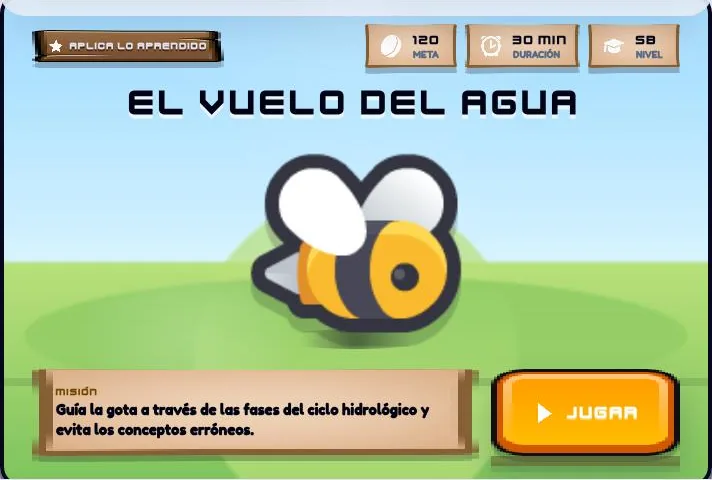
Pop only the stages of the water cycle
Activity completed!
Enable JavaScript to play the demonstration.
Teacher view
Grade 5 A
Your attempt
1 submission marked automaticallyWithout checking answer by answer.
This data comes from your own attempt. In EduKid the teacher sees it for each student, without marking by hand.
EduKid shows who fails from not knowing and who from not doubting, and builds the follow-up class from there.
Each student has a record: what they did, where they struggled, and how they compare with the class.
Student record
Student 8
Signals from your classes reach coordinators, school leaders, and the network without you writing a report.
The network and leadership see classes, never a student without a recorded reason. Small groups are protected.
And that was just one evening
Pick a role and see what EduKid does for that person.
TeacherPrepare, teach, and see what happened without leaving one screen.
You enter subject, topic, grade, and duration. EduKid builds it in stages and you review each one.
EduKid suggests which version each student gets and you confirm in one click.
Illustrated storyboards, an animated video with voice, and a deck ready to project.
The same content on paper, for when there are no screens.
See the most chosen wrong option and build the follow-up from there.
Ask how your classes are going and it suggests what to do. You confirm every action.
Upload a PDF or a worksheet and the lesson is built from that content once you review it.
When class ends you see minutes per phase and the active learning time.
StudentSign in with a code, play, and know where you stand.
Each lesson includes a mini-game to apply what was learned. Moves are saved even if the connection drops.
Their teacher hands it out. No email address or personal password needed.
The Affirm quiz changes shape so reviewing never feels the same.
When stuck, the student gets a hint to keep thinking.
In thinking missions students rate their confidence, separating not knowing from not doubting.
Students see their goal, their learning profile, and the diplomas they earn.
Beta. Students review an AI answer with errors planted by the teacher and decide whether to trust it.
Each student gets the version of the activity that fits them, with its phases in order.
LeadershipThe whole school in one view, without asking for reports.
Which classes need attention and which activities are worth revisiting.
Upload any spreadsheet and EduKid creates classes, students, and access codes.
Estimated bands by class. They are not official scores.
Set screen-off moments and keep their history. Other apps are not monitored.
Competencies by class or school and an institutional report in PDF. They are not official certifications.
Viewing a student in detail requires stating the reason. Small groups are not shown.
Activate teachers, set up grades and classes, and assign teachers from one place.
See instruction time per active day. More minutes do not mean more learning, and the panel says so.
School networkFor networks and operators: adoption and results by school.
Compare schools in the network and see how each one evolves.
Each school joins the network with a code.
Share licenses across schools and teachers.
The network view stops at the class. Individual detail stays in the school.
The network panel highlights where adoption is moving more slowly.
Content is reviewed before it reaches students, and certificates are also issued at network level.
Privacy by design
Student information and learning activity call for care. EduKid is designed with school-specific access controls and privacy-conscious workflows.
Role-based access supports school-specific contexts and responsibilities.
Sensitive information is replaced with pseudonyms before an external workflow.
How a sensitive record travels before reaching the AI
At the school
Student name
Visible only to authorized roles
Before the AI
Student 3
Replaced with a pseudonym
External workflow
No personal data
The AI works with the pseudonym
Today and in preparation
Classroom tools are available today; additional formative assessment capabilities are in preparation.
Next step
See how EduKid can support educators, students, and school leadership teams.
Institutional licensing · Pricing on request
List cleared
Tomorrow you arrive ready.
Create your teacher account and build your next class tonight.
Replies directly on WhatsApp (+56 9 6107 8279)
Hi! Want to schedule a demo for your school or ask anything about EduKid? Write your message below and send it straight to our WhatsApp.